
2025 IdeaFormer IR3 V2 Infinite Z-Axis Steel Conveyor Belt 250×250×∞mm Klipper Firmware Fast Printing Auto Leveling 3D Printer


2025 IdeaFormer IR3 V2 Infinite Z-Axis Steel Conveyor Belt 250×250×∞mm Klipper Firmware Fast Printing Auto Leveling 3D Printer
Description
SPECIFICATIONS
Auto Leveling: Yes
Bed Temp: 90
Brand Name: IdeaFormer
CE Certification: Yes
Certification: CE
Consumables Diameter: 1.75mm
File Format: GCode
Fliament: PLA/PETG/ABS/TPU/Wood.etc
High-concerned chemical: None
IDEAFORMER Model: IR3V2
Interface Type: SD
Language: English
Maximum Print Size: 250*250*unlimited mm
Maximum Printing Speed: 400mm/s
Molding Technology: FDM
Nozzle Diameter: 0.4mm
Operating System: Windows,Linus,Mac
Origin: Mainland China
Power Supply: 110V/220V AC
Precision: ±0.2mm
Printing Speed: 200mm/s
Slice Software: Ideamaker
Slice Thickness: 0.1-0.4mm
Voltage: 110-220V
Wireless Connectivity: Wi-Fi

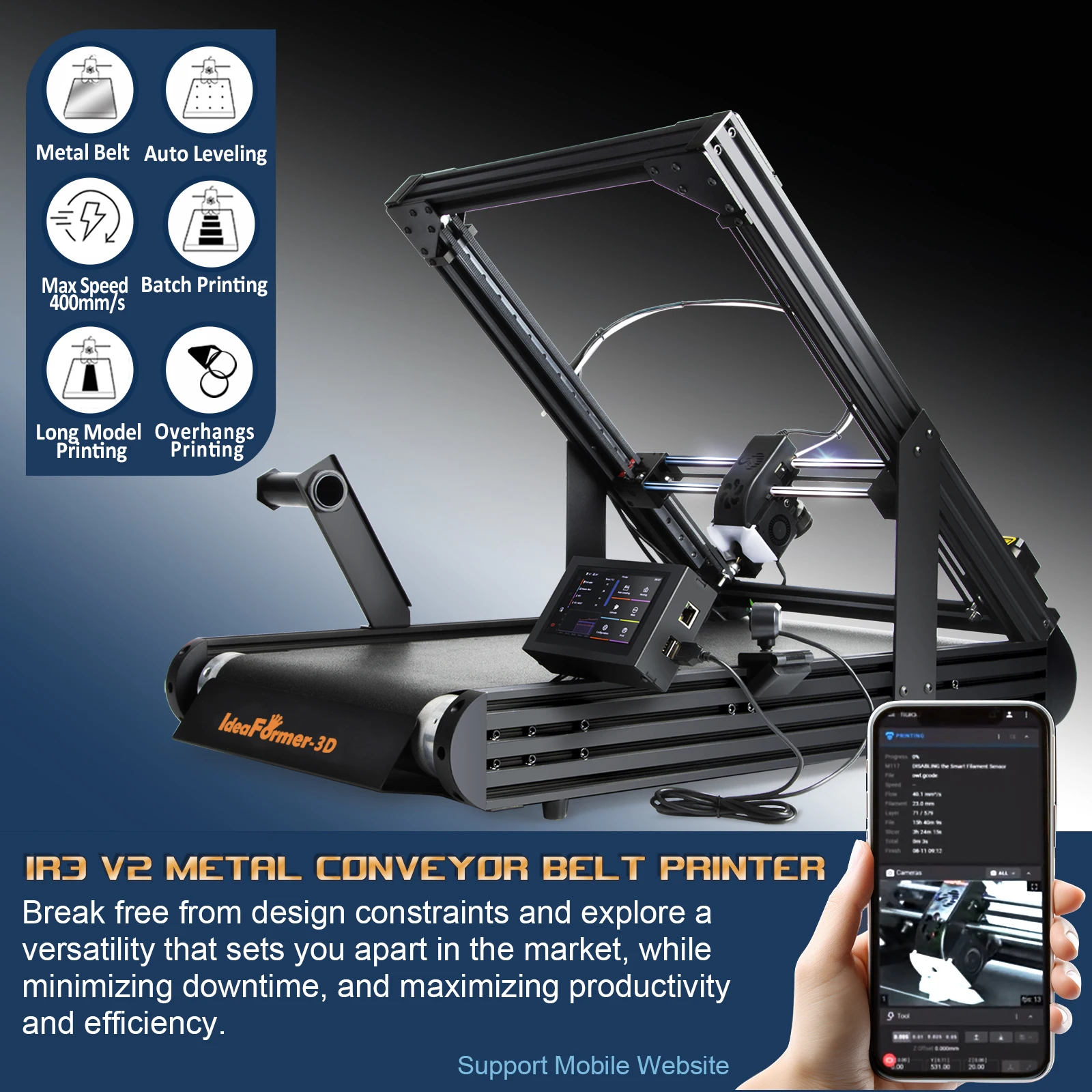
IR3 V2 Belt Printer advantages
1.100% auto leveling by machine after assembled. Print head with senser , it will detect the distance with the bed platfrom , and matched with the slice setting Y offset -0.1 to -0.2mm , then it will sticker well on the belt .
2. Metal conveyor belt , mainly coated with PEI . Printing area is warm , it is good for sticker models on, and it is strong hardness, High models on it will not shaking. Detach model area is cold , it is easy to sepreate the model from the conveyor belt.
3. Klipper firmware(Fully Open Source)/Fast printing . Pring speed is over 400 + mm/s , Powered by the open-source Klipper system klipper firmware and designed the xy axis move very smooth, z axis is powerful with gearbox and we put it inside the roller.
4. Lost step detect . while printing a model , there have many reasons cause a layer shift/lost step . such as x y z axis moving wrong (dust or something on the moving system by a mistake ); models didn’t sticker well , expecially for this 45 degree printing , each layer need touched the belt ( filament temperature setting wrong, or the models is too complicated and didn’t added support correctly ); print speed too fast , etc . while lost step happened , it may cause the print head hitting the edge of the printer or scratch the belt , with this detect function , printer will stop print while these situation happened . so it can protect the print head and the conveyor belt . then you need check the reason for this lost step .
5. Enclosure box . for print high temperature filament , such as abs nylon etc. keep the model not warp up and crack .
6. Extend roll . for print long model, keep the print side sticker well , and keep the model not bent.
7. Wifi and Camera . It can be remote control by phone or computer, if filament enough , you can keep it wokring for long time even you are not behind the printer.
8. Led light , you can check the status at mid night .
9. Filament inputting detect , if filament didn't keep going over 12mm , printer will pause printing . Then you need check if there was something wrong with filament or clog the nozzle , or the filament run out . after reload the filament , it can continue to printing.
10. Easy assembly and Stable printing . base on auto leveling , it sticker very well, metal belt keep models no shaking.
IR3 V2 specification

Customer feedback




Care
To maintain the beauty and integrity of your purchase, we recommend treating it with care. Simple maintenance practices, such as gentle washing and proper storage, can effectively preserve the longevity of your favorites. We encourage you to refer to the care instructions included with each item, designed to help you keep your purchase in top condition.
Design
Our dedication to excellence extends beyond materials; it encompasses the artistry and craftsmanship illustrated in every piece we create.